
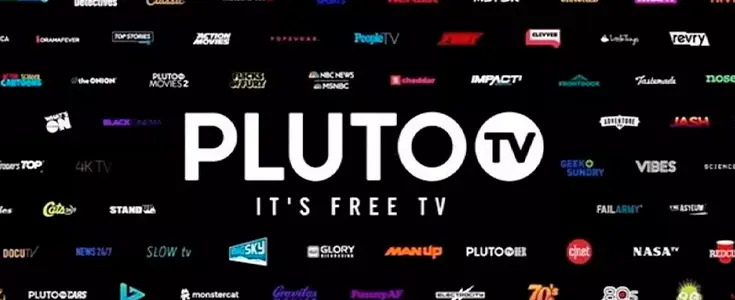
Pluto TV is a free, ad-supported streaming service from
Paramount with hundreds of live channels, no subscription required. This Pluto
TV channel list covers everything from movies to news, and unlike cable,
there's no monthly bill and no sign-up wall blocking you from watching, which
makes it an easy option for anyone looking to cut costs without losing the live
TV feel.
If you're wondering what channels are on Pluto TV,
the lineup covers movies, news, sports, comedy, kids' shows, and a lot more,
all organized into channels that play on a set schedule, similar to
old-fashioned broadcast TV. Below, we'll break down how the lineup works, how
the numbering system holds up across devices, and how to actually start
watching.
How Pluto TV Channels Are Organized?
Pluto TV pulls content from more than 170 partners,
including networks like CBS and Lionsgate, to build out its lineup. That
partnership model is why the Pluto TV channel lineup keeps growing every
few months instead of staying fixed, with new channels rolling in as fresh
distribution deals get signed.
Rather than scrolling one long list, Pluto TV channels
are grouped by category inside the app, things like Movies, Entertainment,
News, Sports, Kids, and Spanish-language programming. Browsing by category is
usually faster than hunting through hundreds of individual channels one at a
time, especially once the lineup grows past a couple hundred options.
Pluto TV Channel Numbers Explained
One thing that trips people up coming from cable: Pluto
TV channel numbers don't change based on your city or your device. Since it
streams over the internet rather than through a local cable box, the numbering
stays the same nationwide.
That means a channel sitting at a specific number on your
phone will show the same number on a smart TV or a streaming stick. It's a
small detail, but it makes switching devices a lot less confusing than jumping
between cable providers with different lineups.
How to Find the Pluto TV Channel Guide?
Finding your way around the on-screen guide only takes a few
steps once you know where to look. The Pluto TV channel guide works a
lot like a traditional cable listing, just built directly into the app instead
of a separate remote button.
- Open
the Pluto TV app on your device, whether that's a smart TV, Roku, Fire TV,
or phone.
- Select
the guide icon, usually shown as a grid or list symbol.
- Scroll
through categories or use the search bar to find a specific channel by
name.
- Tap a
channel to preview what's currently playing before switching over.
- Add
channels to your favorites list so they're easier to find next time.
If a channel doesn't show up right away, refreshing the app
or restarting your device usually clears up any loading issues.
How to Watch Pluto TV Live Channels?
Getting Pluto TV live channels running takes even
fewer steps, since there's no account required to start watching right away.
- Download
the Pluto TV app on your preferred device, or visit the website directly.
- Skip
the sign-up screen if you just want to browse without an account.
- Select
a category or search for a specific show or channel.
- Tap
play to start streaming instantly.
- Use
the guide button to switch between other Pluto TV live TV channels
without leaving the current screen.
Since these channels run on a set schedule, you're watching
whatever is airing live, similar to flipping between channels on regular TV. If
you jump in partway through a show, you'll just catch it from that point rather
than the beginning, the same way live broadcast TV works.
Is Pluto TV Really Free?
Yes, and there's no catch hiding behind it. Pluto TV runs
entirely on ads instead of subscription fees, so you won't need a credit card
to start watching. The trade-off is that commercial breaks show up during live
channels, much like they would on regular broadcast television.
These Pluto TV free channels cover the same range of
categories as a paid streaming service, just supported by advertising instead
of a monthly charge. For anyone tired of stacking up subscription costs, this
makes Pluto TV one of the easier options to try without any financial commitment.
Conclusion
Pluto TV works a lot like traditional TV, just without the
cable bill attached to it. Once you know the lineup is organized by category,
the numbering stays consistent everywhere, and no sign-up is required to start
watching, using it becomes second nature fast. Whether you're browsing the
guide or jumping straight into a live channel, everything here is free the
moment you open the app.
FAQs
1. Do I need to create an account to use Pluto TV?
No, you can watch most content without signing up, though
creating an account lets you save favorites and sync them across devices.
2. Does Pluto TV include on-demand movies and shows?
Yes, alongside its live channels, Pluto TV also offers a
separate on-demand library you can browse and watch anytime you like.
3. Which devices support the Pluto TV app?
It's available on smart TVs, Roku, Fire TV, Apple TV,
Android TV, phones, tablets, and gaming consoles like PlayStation and Xbox.
4. Does Pluto TV carry local news or broadcast channels?
Not local affiliates like ABC or NBC, but it does include
national coverage such as CBS News for anyone following bigger stories.
5. Can I pause or rewind a live Pluto TV channel?
No, live channels play in real time, but on-demand titles
allow full playback control, including pausing and rewinding.
6. Is Pluto TV available outside the United States?
Yes, it operates in several countries, though the exact
channel lineup and category names can differ by region.
7. Does Pluto TV stream in HD?
Yes, most channels stream in HD quality, though it depends
on your internet connection and the device you're using.



Hi Dear, I'm Meenu, and I've written the posts on this blog. I've tried my best to pack them with helpful info to tackle any questions you might have. I hope you find what you're looking for here. Thanks for sticking around till the end!